Model Monitoring and Auditing Now Available, from the Leader in AI Fairness.
Model Monitoring and Auditing Now Available, from the Leader in AI Fairness.
SolasAI Illumination was designed by experts for experts, combining the most rigorous and advanced statistical model monitoring with the power of a human-controlled agentic orchestrator, helping you optimize your models at the speed and scale your business requires.
Illumination proactively scans for drift, quality, and fairness risks and turns operational data into a strategic asset that makes your AI stronger.
Many model risks, just one workflow. Encode your policies, set your alerts, and generate your compliance reports – all in one.
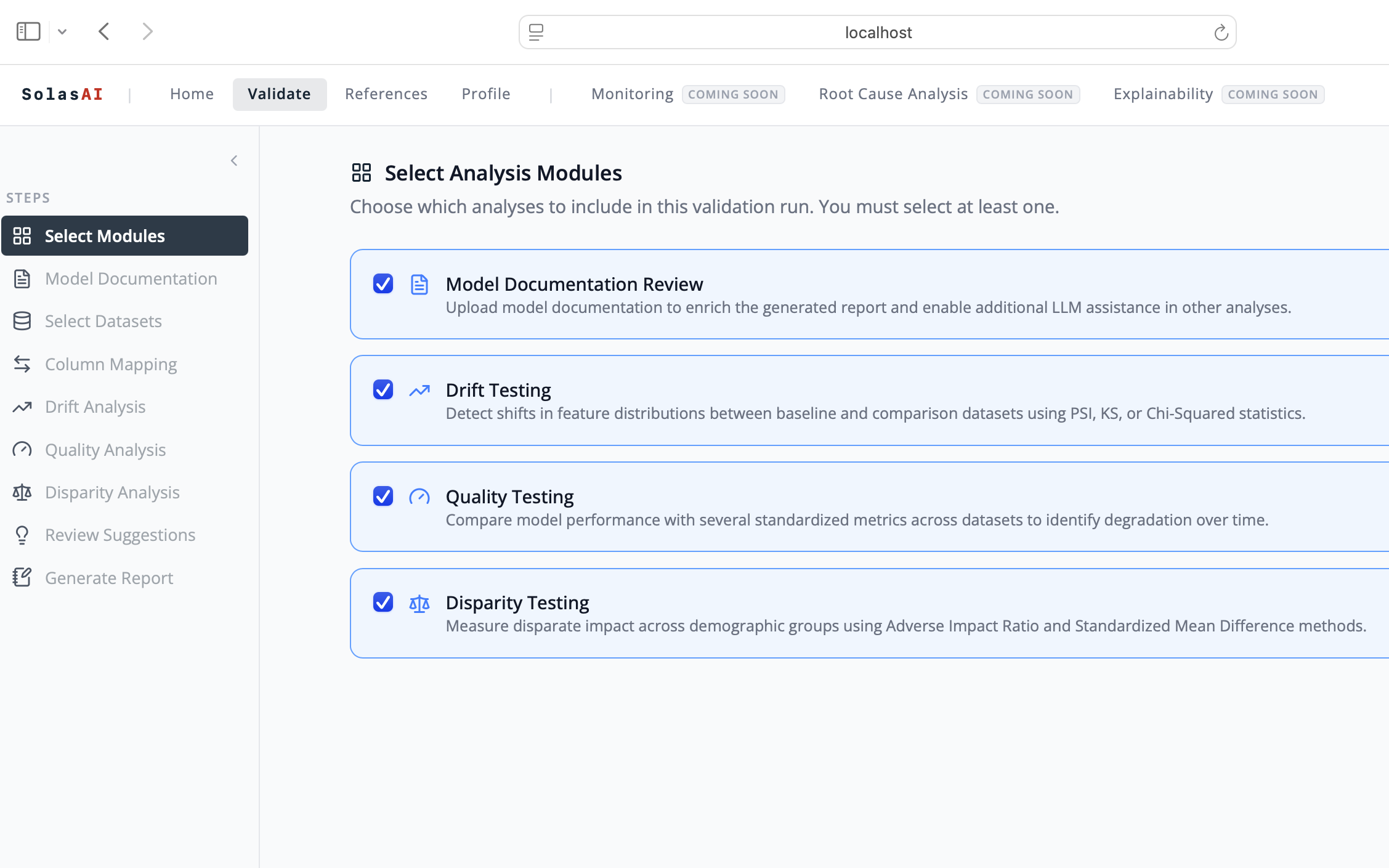
Step 0: Start the Model Reporting and Validation Module
Select the analysis that you want performed: Quality, Drift, and/or Disparity
The module will conclude with a detailed, fully customizable, and regulator-ready report based on your direction
All steps of the module require human oversight to approve and proceed
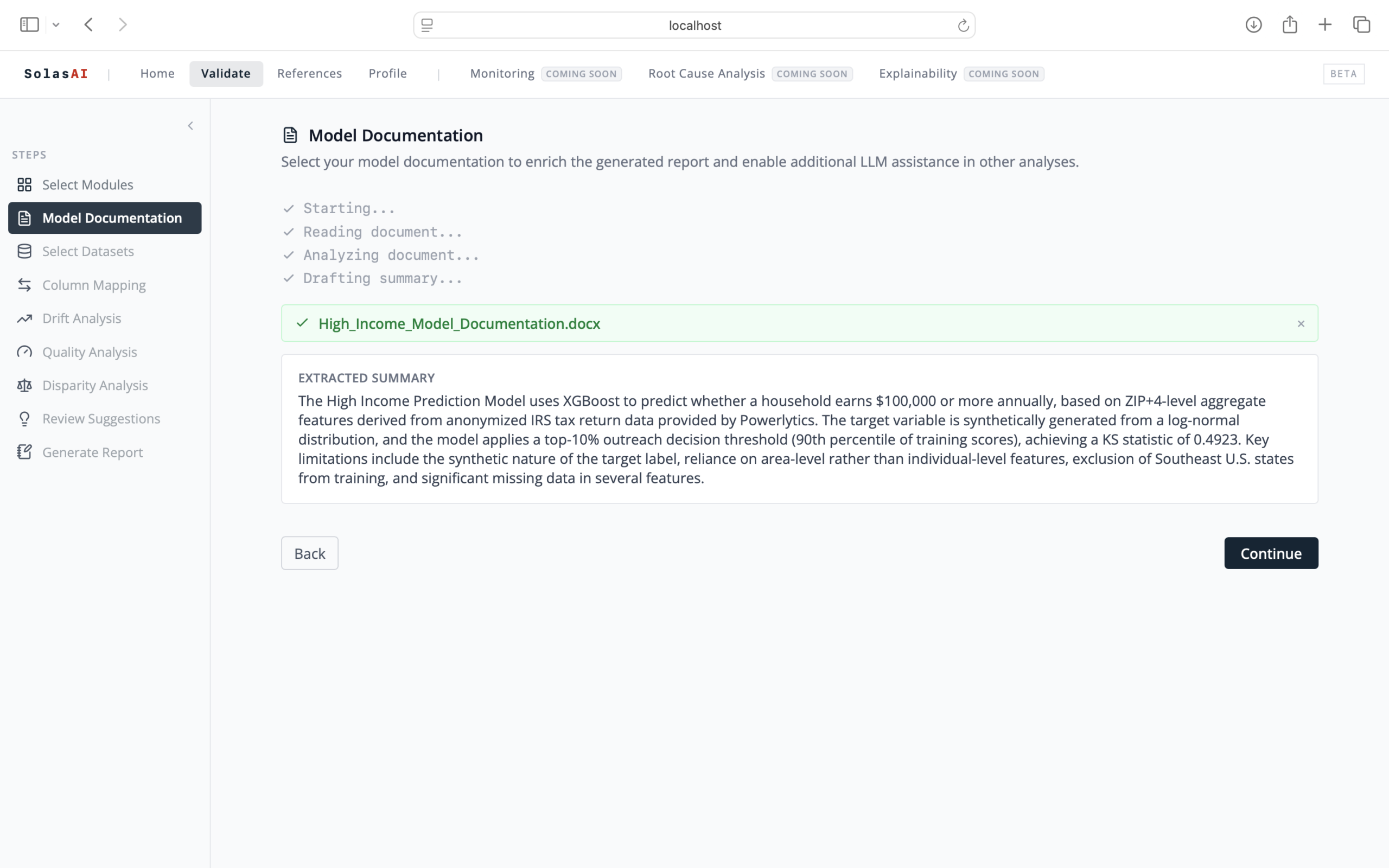
Step 1: Upload Model Documentation
Illumination intakes your documentation and provides a summary for review and confirmation
The documentation will be used to inform the analysis and generation of the report
If documentation isn’t available or is incomplete, Illumination will proceed with the analysis based on the data sets
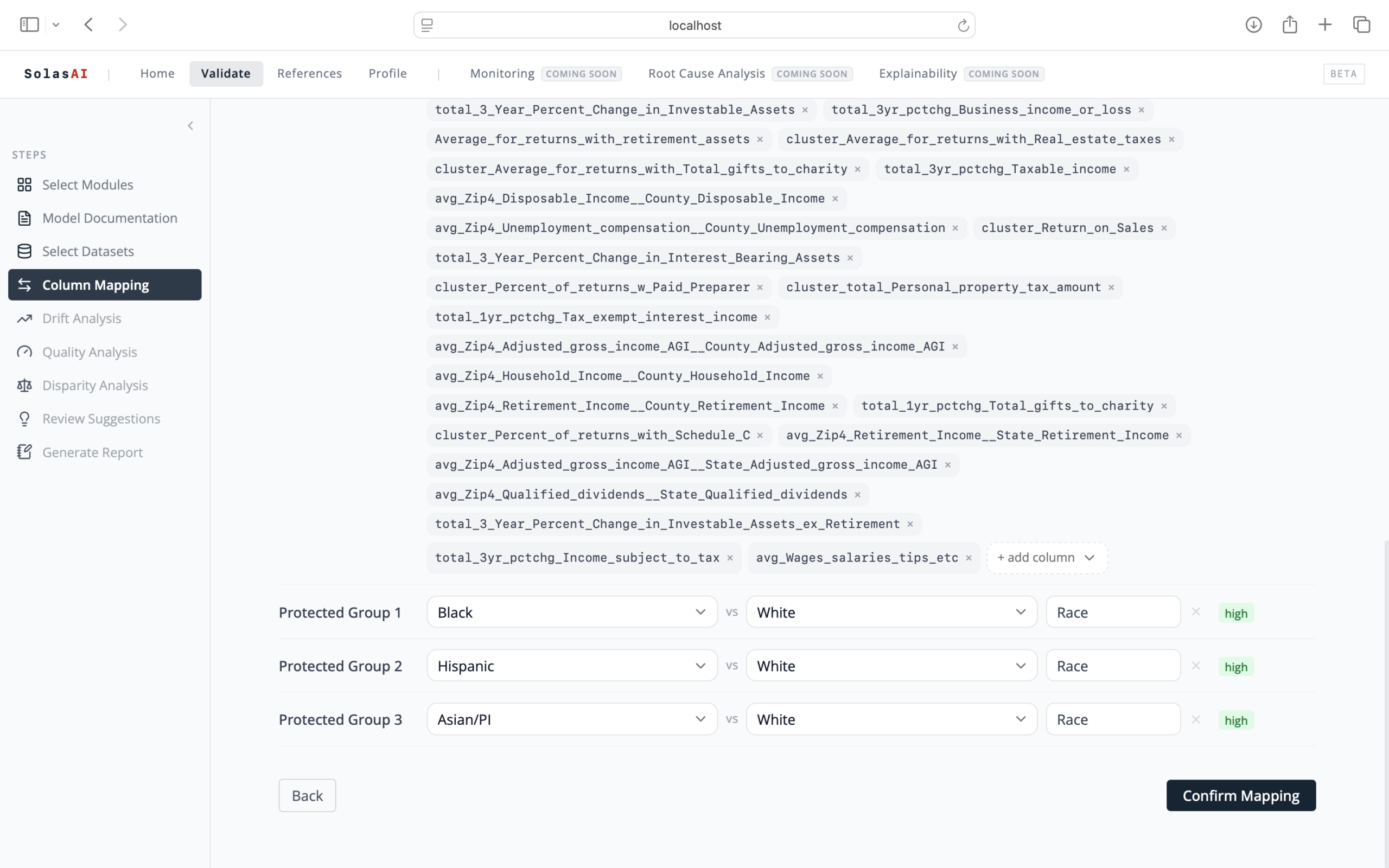
Step 2: Select Your Data Sets
Select the baseline and comparison data sets you want to evaluate with your analysis
Illumination analyzes your data to understand how it works and make predictions
Select the protected and reference groups you want to use for disparity testing
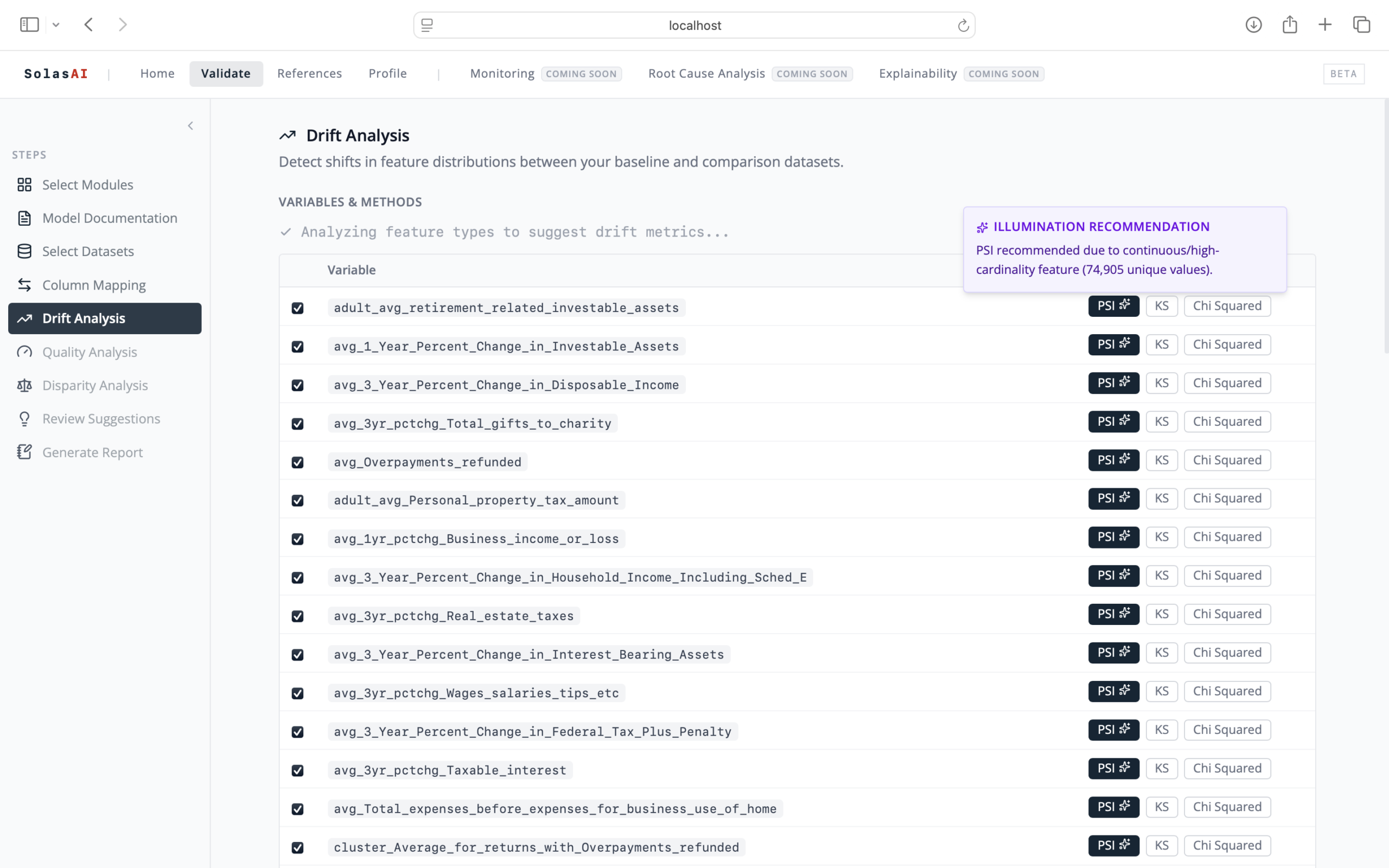
Step 3: Perform Drift Analysis
Illumination suggests appropriate metrics for each variable with expert rationale
Required human review for approval or to provide corrections or selection of different metrics
Generates a statistical table with results and editable proposed language for the report
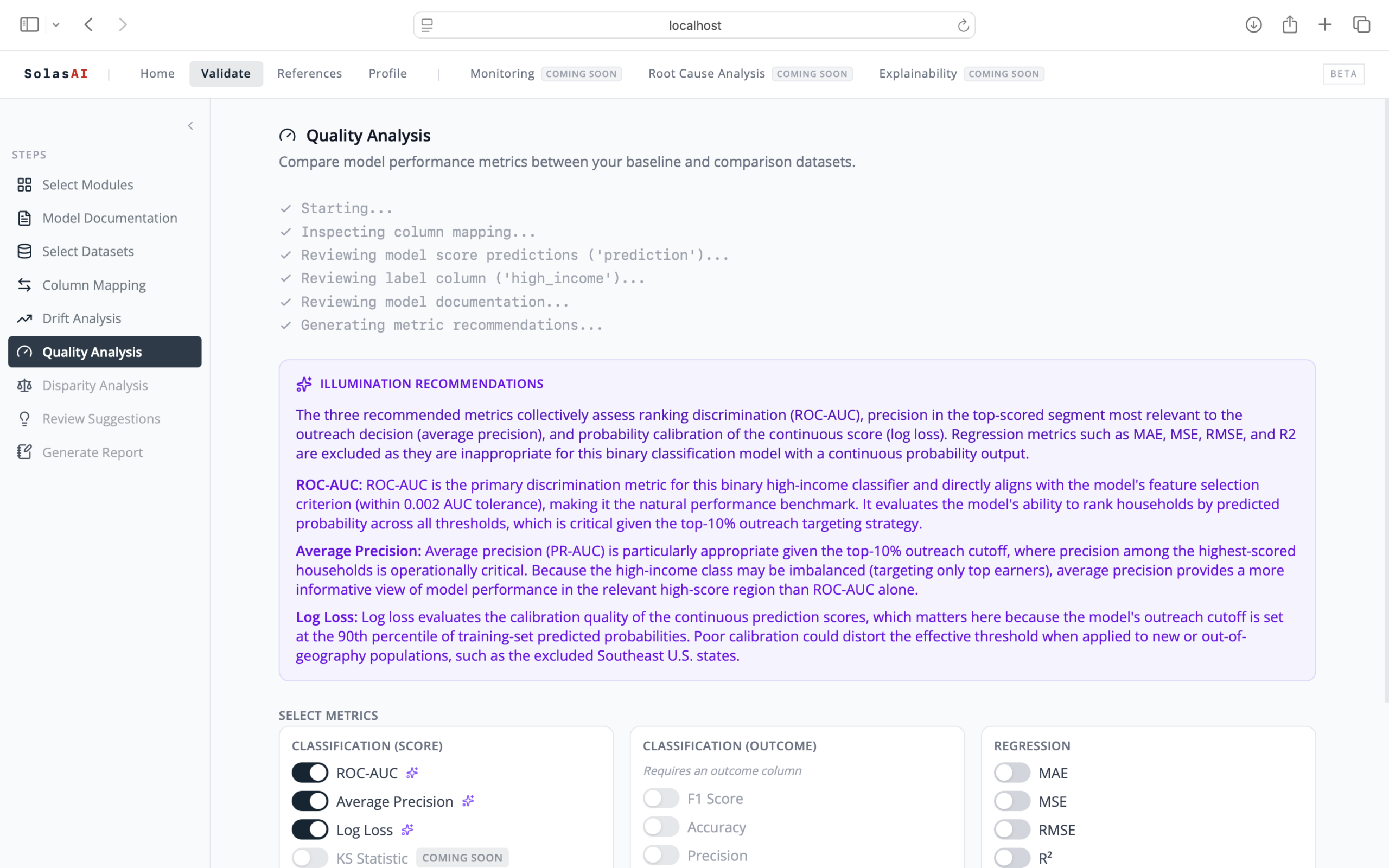
Step 4: Run Quality Analysis
Illumination makes recommendations on which quality metrics to use based on the documentation and data selections
Required human review for approval or to provide corrections or selection of different metrics
Results are presented as both a high-level executive summary, as well as the fully detailed editable report
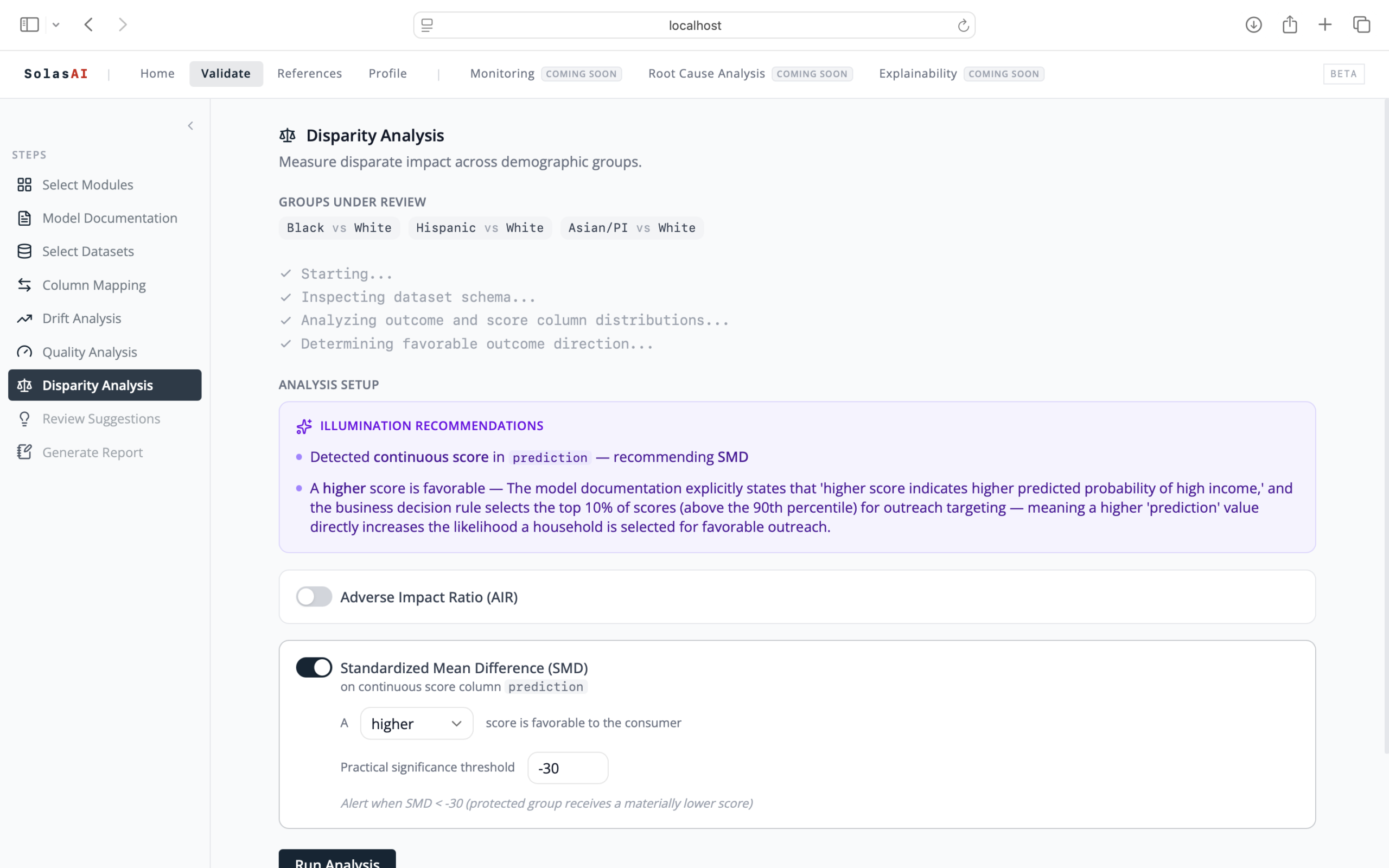
Step 5: Perform Disparity Testing
Illumination recommends the strongest method and scope of testing based on the data
Customize your thresholds and metrics based on your company’s policies which can be provided as part of the documentation review
Results are presented as both a high-level executive summary, as well as a fully detailed editable report
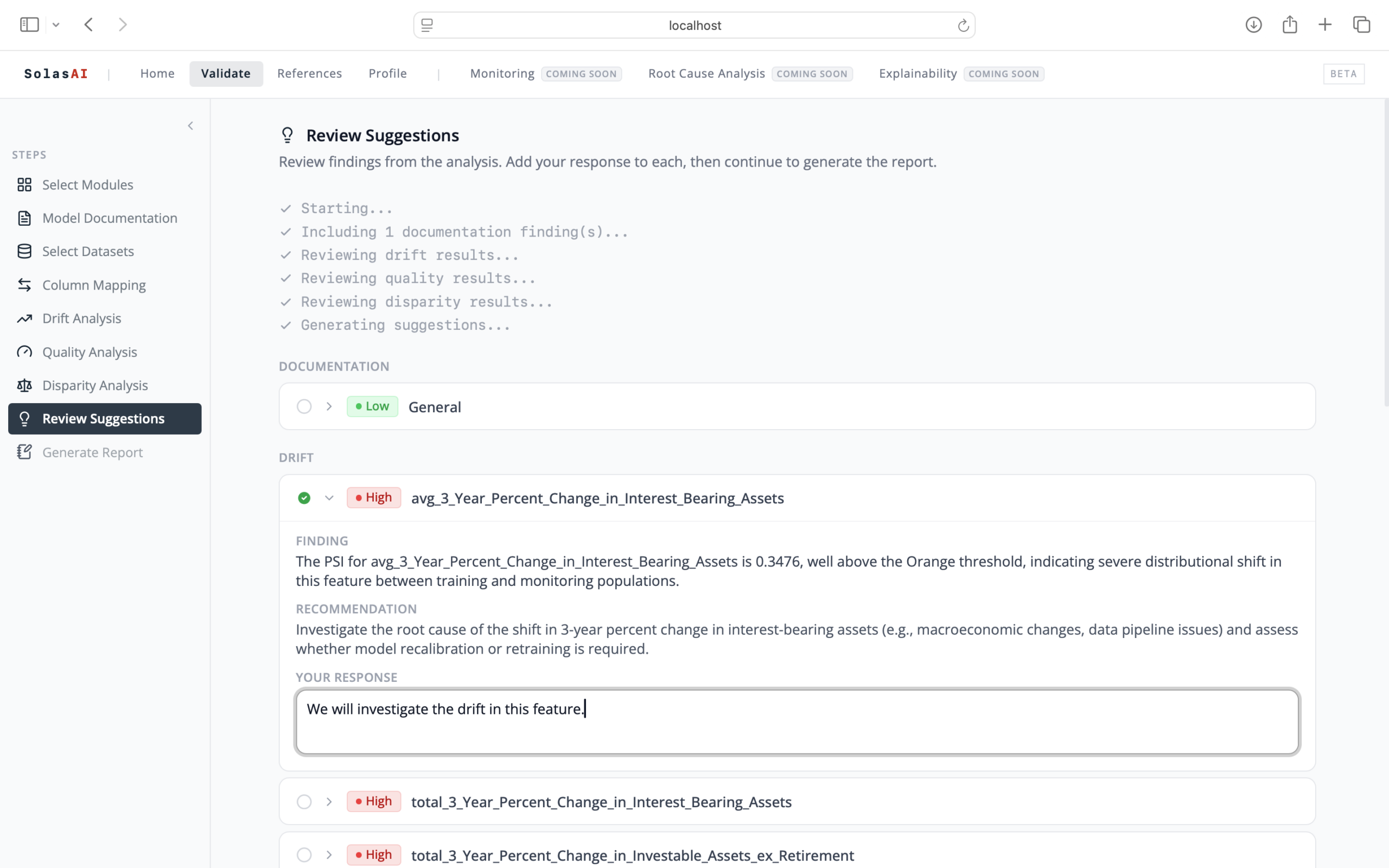
Step 6: Observations and Action Steps
Illumination will summarize the results of all the analyses and create a list of detailed observations for review
Responses and next steps for each item can be noted and saved for reporting and tracking purposes
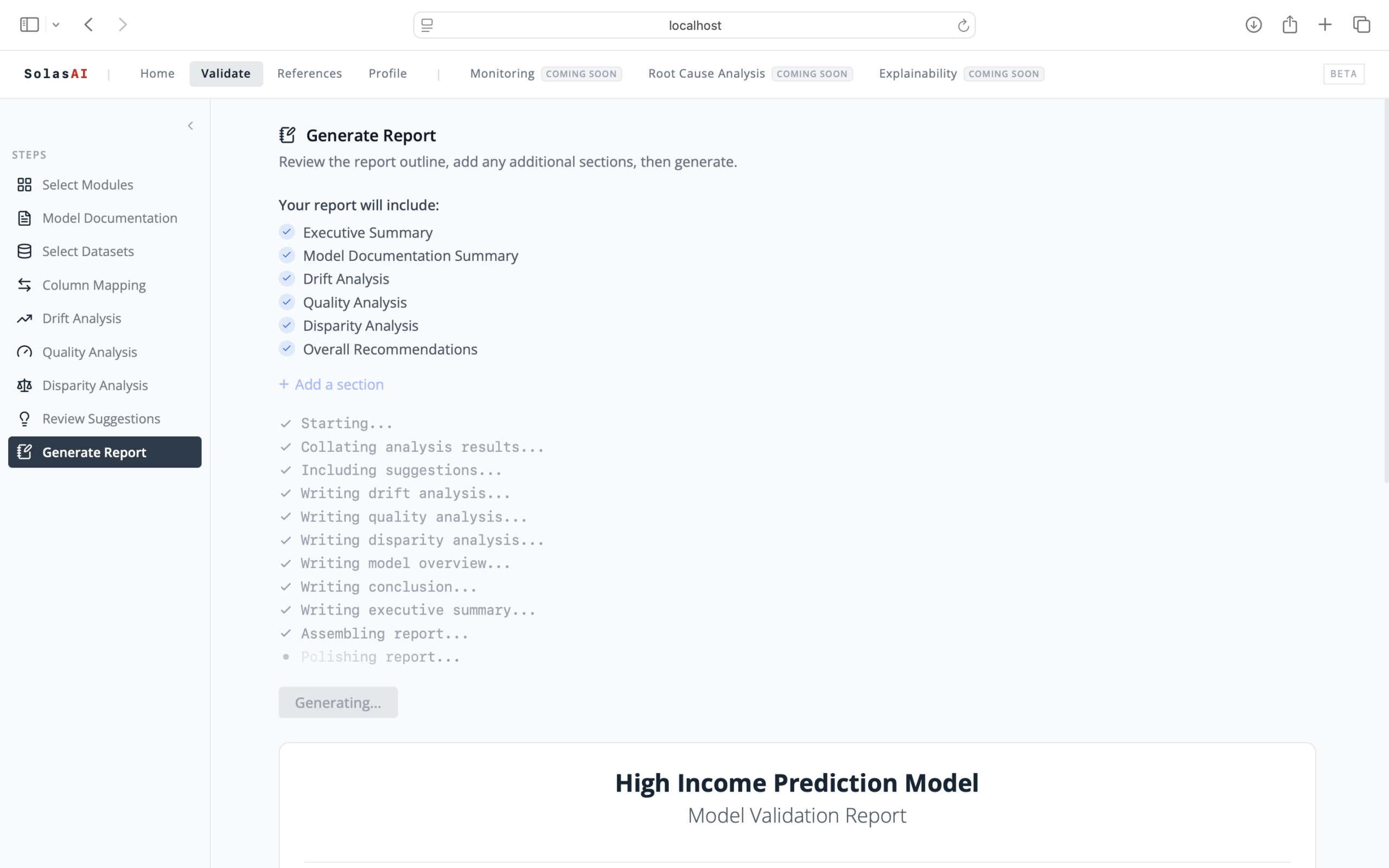
Step 7: Generate Your Report
Illumination provides you with an in-depth model validation report
The report can be formatted to match your standards, practices, and thresholds
Reports are easily downloaded and fully editable
Did you know Illumination can run as an AI Agent? See the clips below:
Learn About SolasAI Quality Analysis
Learn About SolasAI Disparity Analysis
Interested in learning more about SolasAI Illumination?
Fill out the form below to view the full video and get a closer look at how SolasAI Illumination helps proactively assess models for risk.
When you complete an interactive demo, you’ll also receive a free sample report to keep.